Creating a home workspace that balances comfort and productivity can make a significant difference in your work-from-home routine. Whether you’re tackling tasks for your job, managing a side project, or studying, having a dedicated, well-organized space can help you focus and maintain motivation. Below are several helpful tips to design a home workspace that feels cozy, supports your workflow, and keeps distractions minimal.
Choose the Right Location
Selecting the best spot in your home is the first step towards an effective workspace. Consider these factors:
– Natural light: Aim for a space with plenty of natural light. It reduces eye strain and elevates your mood.
– Quiet environment: Pick a quiet corner away from high-traffic areas such as the kitchen or living room.
– Space: Ensure there’s enough room for your desk, chair, and any tools or equipment you need.
If space is limited, even a small nook or a well-arranged corner can work well with the right setup.
Invest in Comfortable Furniture
Comfort plays a crucial role in productivity and wellbeing at work. When choosing furniture, prioritize:
– Ergonomic chair: Invest in a chair that supports your lower back and encourages good posture.
– Adjustable desk: A height-adjustable desk can let you alternate between sitting and standing, helping relieve physical tension.
– Adequate desk space: Make sure your desk can hold your computer, documents, and other necessary items, without becoming cluttered.
Remember, comfort isn’t just physical. Your space should also feel inviting and personal.
Organize Your Workspace Efficiently
A cluttered desk can lead to a cluttered mind. To keep things organized:
– Use storage solutions: Shelves, drawers, and organizers help keep office supplies, papers, and gadgets in order.
– Keep essentials close: Arrange frequently used items within arm’s reach to minimize interruptions.
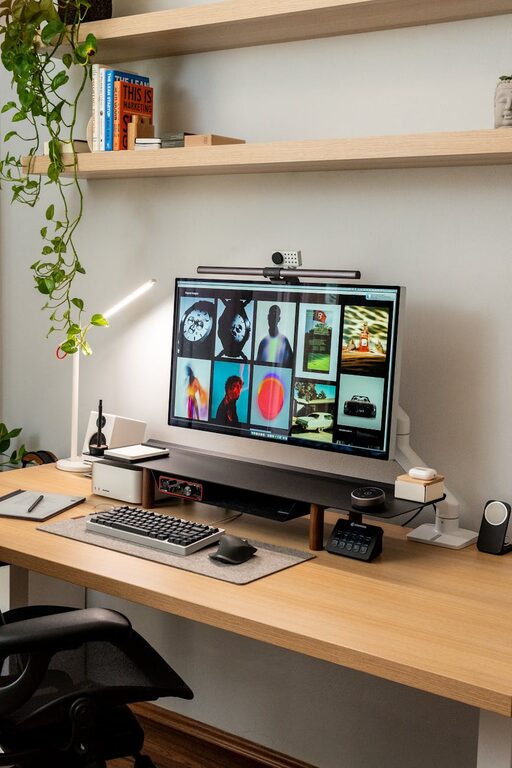
– Cable management: Use clips or sleeves to keep cords tangle-free and out of the way.
Regularly declutter your workspace to maintain a clean and focused environment.
Personalize Your Area with Meaningful Items
Adding personal touches makes the workspace feel cozy and welcoming:
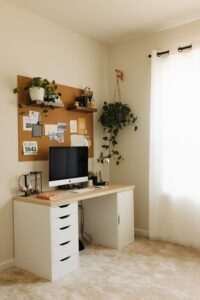
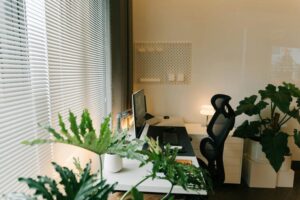
– Plants: Indoor plants improve air quality and add a splash of color, providing a calming effect.
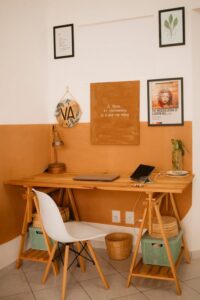
– Artwork or photos: Use pictures, art prints, or motivational quotes that inspire and uplift you.
– Comfort items: Soft blankets, cushions, or a favorite mug can add warmth and an inviting vibe.
These elements should enhance your workspace without causing distractions.
Optimize Lighting
Good lighting can improve your mood and reduce fatigue:
– Natural light first: Position your desk near a window if possible.
– Task lighting: Add desk lamps with adjustable brightness to provide focused light, especially for reading or detailed work.
– Avoid glare: Angle your screen and lights to reduce reflections and eye strain.
Proper lighting helps maintain energy and focus throughout the day.
Minimize Distractions
A productive workspace balances coziness with minimal distractions:
– Use noise-canceling headphones: If noise is an issue, these can help you concentrate.
– Set boundaries: Inform household members of your work hours to minimize interruptions.
– Keep your phone and notifications in check: Use “Do Not Disturb” modes during work sessions if needed.
Creating a space dedicated to work signals to your brain that it’s time to focus.
Promote Good Habits and Breaks
Even the best workspace won’t be effective without good habits:
– Follow a schedule: Set consistent start and finish times for work to maintain a balanced routine.
– Take regular breaks: Stand, stretch, or take short walks to refresh your mind and body.
– Stay hydrated and nourished: Keep a water bottle nearby and eat balanced snacks.
Your workspace should support these healthy habits to keep you energized and efficient.
Keep Technology Up to Date and Functional
Make sure your technology supports your tasks smoothly:
– Reliable internet: A strong connection reduces frustration and delays.
– Up-to-date software: Keep everything current to ensure security and performance.
– Backup solutions: Regularly save your work to avoid data loss.
Technology should be a tool that helps, not hinders, your productivity.
Conclusion
Building a cozy and productive home workspace is achievable with some thoughtful planning and careful choices. From choosing the right spot to personalizing your area with meaningful touches, every element plays a role in creating an environment that motivates and comforts you. Remember, your workspace should support how you work best, helping you stay focused and feel good throughout the day. Experiment with what works best for you, and enjoy the balance of comfort and productivity in your home office.