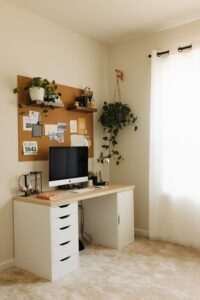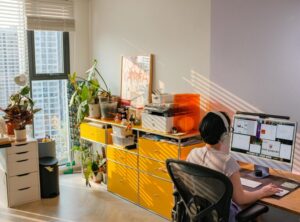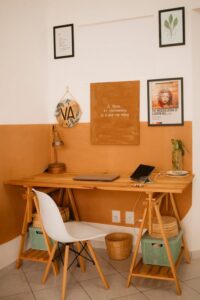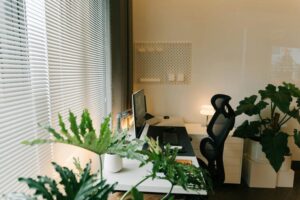
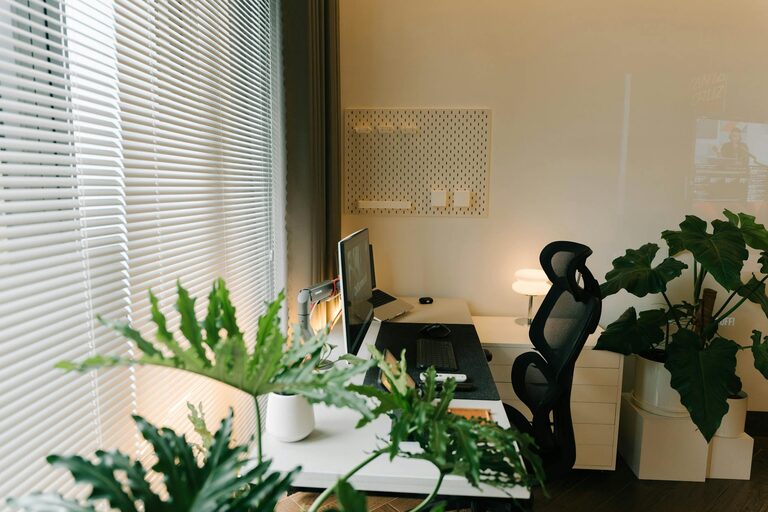
Creating a home office that feels cozy and promotes productivity is essential for anyone working remotely or managing tasks from home. A thoughtfully designed workspace can boost your motivation and help you stay focused, while also providing a comfortable environment that reduces stress. In this post, we’ll explore practical tips to help you create a home office that balances comfort and efficiency.
Choose the Right Location
Selecting the ideal spot for your home office is the foundation of a productive setup. Consider these factors when choosing your workspace:
– Natural light: A space near a window with plenty of natural light can improve mood and reduce eye strain.
– Quiet environment: Look for a room or corner that minimizes distractions and noise.
– Space availability: Ensure there’s enough room for your desk, chair, storage, and any equipment you need.
– Separation from living areas: If possible, choose a location that can be closed off to separate work from relaxation.
Invest in Comfortable Furniture
Comfort is key when spending long hours working. Prioritize ergonomic furniture to support your posture and reduce fatigue:
– Ergonomic chair: Look for adjustable height, good lumbar support, and comfortable cushioning.
– Desk: A desk at the right height allows comfortable arm positioning without strain. Consider standing desks or adjustable options if you prefer to switch postures.
– Footrest: If your feet don’t fully touch the ground, a footrest can improve circulation and comfort.
– Monitor stand: Position your computer screen at eye level to avoid neck strain.
Optimize Lighting
Good lighting helps reduce eye strain and enhances the atmosphere of your workspace:
– Layered lighting: Combine natural light, overhead lights, and task lighting.
– Desk lamp: Choose an adjustable desk lamp with warm light to avoid harsh glare.
– Avoid screen glare: Position your computer perpendicular to windows to minimize reflections.
Personalize Your Space
Making your home office inviting encourages you to spend time there and feel at ease:
– Add plants: Greenery enhances air quality and adds a calming touch.
– Artwork and decor: Display inspiring quotes, photos, or artwork that motivate you.
– Color choices: Choose soothing colors like soft blues, greens, or neutrals to create a relaxing environment.
– Comfort items: Consider a cozy throw blanket, cushions, or a soft rug.
Organize for Efficiency
A clutter-free workspace helps you focus and reduces stress:
– Storage solutions: Use shelves, drawers, and boxes to keep supplies organized.
– Cable management: Use clips or sleeves to manage cords and prevent tangles.
– Declutter regularly: Set aside time weekly to tidy up and remove unnecessary items.
– Use organizers: Desk trays, pen holders, and file organizers keep essentials within reach but orderly.
Establish Boundaries
Creating clear boundaries encourages a healthy work-life balance:
– Set work hours: Define specific times for work and breaks.
– Use signals: A closed door or a particular item can show others when you’re working.
– Separate work and leisure: Avoid eating or relaxing in your work area whenever possible to help your brain switch modes.
Add Technology and Tools Wisely
Equip your home office with the tools you need, but avoid overcrowding:
– Reliable internet: Ensure your Wi-Fi is strong and stable.
– Quality peripherals: Invest in a good keyboard, mouse, and headphones.
– Laptop stands and docking stations: For flexible and ergonomic setups.
– Apps and software: Use productivity apps, calendars, and timers to stay organized.
Take Breaks and Move
Even the best setup won’t help if you stay seated too long:
– Scheduling breaks: Use techniques like the Pomodoro method (25 minutes work, 5 minutes rest).
– Stretch or walk: Physical activity reduces fatigue and keeps you alert.
– Eye breaks: Follow the 20-20-20 rule—every 20 minutes, look at something 20 feet away for 20 seconds.
Keep It Flexible
Your needs may change over time, so design your workspace to adapt:
– Modular furniture: Choose pieces that can be rearranged or added as needed.
– Multi-use spaces: Consider furniture that folds or combines storage to save space.
– Regular reviews: Update your setup based on your workflow and comfort periodically.
—
By applying these tips, you can turn any corner of your home into a cozy, efficient office space that supports your work and well-being. Remember that creating your ideal workspace is a personal process—feel free to experiment and make changes until it feels just right for you!