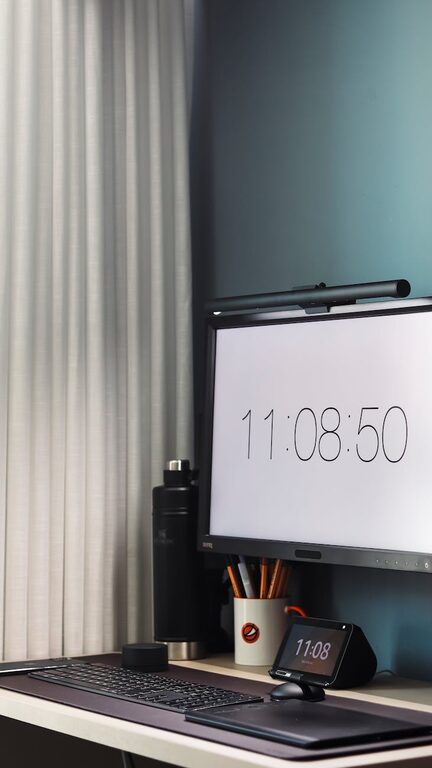
Creating a productive home workspace is essential for anyone looking to work efficiently and comfortably outside of a traditional office. Whether you work remotely full-time or occasionally, a well-organized workspace can significantly enhance your focus and reduce stress. Here are practical tips to help you design and maintain a home office that supports your best work.
Choose the Right Location
Selecting the ideal spot for your workspace is the first step to productive work at home.
– Quiet and Private: Pick a location away from household noise or high-traffic areas to minimize distractions.
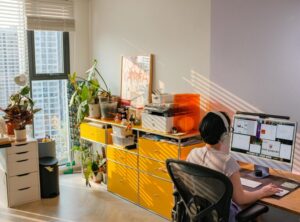
– Natural Light: If possible, choose a space with plenty of natural light. It boosts mood and helps regulate your body’s internal clock.
– Adequate Space: Ensure there’s enough room for your desk, chair, and necessary equipment without feeling cramped.
Invest in Comfortable and Ergonomic Furniture
Your physical comfort directly affects your focus and productivity.
– Ergonomic Chair: Use a chair that supports your lower back and allows your feet to rest flat on the floor.
– Adjustable Desk: Consider a desk with adjustable height to alternate between sitting and standing.
– Proper Desk Size: Your desk should comfortably hold your computer, documents, and personal items without overcrowding.
Keep Your Workspace Organized
A cluttered desk can quickly become a cluttered mind. Here’s how to stay organized:
– Declutter Regularly: Remove items that don’t serve a daily purpose. Less clutter reduces distractions.
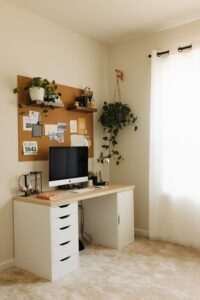
– Use Storage Solutions: Utilize drawers, shelves, and desk organizers for supplies and paperwork.
– Digital Organization: Keep your computer desktop and email inbox tidy to streamline digital work.
Optimize Lighting
Proper lighting reduces eye strain and improves alertness.
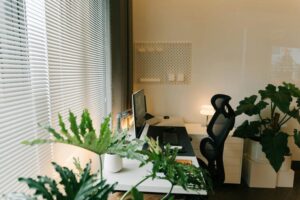
– Combine Natural and Artificial Light: Use daylight during the day and supplement with adjustable desk lamps.
– Avoid Glare: Position your screen to avoid reflections from windows and lights.
– Use Warm or Neutral Bulbs: Harsh, cool-toned lighting can cause fatigue; warmer tones are often more comfortable.
Minimize Distractions
Limit interruptions to maintain focus and workflow continuity.
– Set Boundaries: Communicate your work hours to family members and roommates.
– Use Noise-Canceling Tools: Headphones or white noise machines can help drown out background sounds.
– Turn Off Notifications: Silence non-urgent phone and computer notifications during blocks of focused work.
Personalize Your Workspace
Adding your personality can make your workspace inviting and motivating without causing clutter.
– Add Plants: Small plants can improve air quality and add a calming presence.
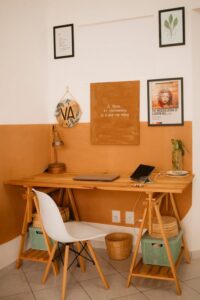
– Incorporate Inspiring Items: Photos, artwork, or motivational quotes can boost your mood.
– Choose a Calming Color Scheme: Soft, neutral colors often help create a peaceful environment.
Maintain Good Air Quality and Temperature
Comfortable air and temperature affect your ability to concentrate.
– Ventilate Regularly: Open a window or use an air purifier to keep fresh air flowing.
– Control Temperature: Use a fan or heater to maintain a comfortable temperature range (around 68-72°F or 20-22°C).
– Avoid Strong Scents: Strong perfumes or scented candles may distract or cause discomfort.
Plan Your Workday with Zones and Routines
Organizing how you work can improve productivity alongside your physical workspace.
– Create Zones: Dedicate areas for different activities, such as a computer workspace, reading nook, or creative corner.
– Establish Routines: Start and end your workday with set rituals to signal focus time and breaks.
– Use Time Blocks: Work in focused intervals with short breaks to maintain energy and mental clarity.
Technology Setup
Having reliable and ergonomic technology contributes to smoother work sessions.
– Declutter Cables: Use cable organizers or clips to keep cords tidy.
– Use External Monitors: Larger or additional screens can reduce eye strain and improve multitasking.
– Keep Devices Charged: Use charging stations to keep devices functional and ready.
Keep Hydrated and Take Breaks
Good habits help sustain productivity throughout the day.
– Water Nearby: Keep a water bottle at your desk to stay hydrated.
– Move Regularly: Stand, stretch, or walk every hour to reduce physical tension and boost circulation.
– Eye Care: Follow the 20-20-20 rule – every 20 minutes, look at something 20 feet away for 20 seconds.
—
By thoughtfully organizing your home workspace with these practical tips, you can create an environment that enhances focus and comfort. A well-designed workspace not only supports productivity but also promotes well-being, making your work-from-home experience more enjoyable and effective.